Cisco AppDynamics · 2023
Designing an inventory-first agent-management workflow
This case study follows the inventory model, the hierarchy changes made after evaluation, and the release trade-offs behind the agent-management workflow.
- Timeline
- 6 months
- Product
- Cisco AppDynamics
- Role
- Senior product designer

At a glance
Install, upgrade and operate agents from one place.
Agent Management brought installation, upgrades, rollbacks and ongoing operations into one workflow around Smart Agent; so ITOps teams could manage thousands of machines without stitching the process together by hand.
I carried the work from ambiguity to an operable system.
Turn scattered operational pain into one lifecycle product model.
Problem framing + product model
Translate discovery research into product priorities and decisions.
Research planning + synthesis
Standardise installation and configuration across agents.
Working sessions with PM · architecture · engineering
Protect the core workflow through release and implementation constraints.
Prioritisation + design-to-engineering delivery
With product management · engineering · architecture · research · field support · design system · UX writing · IX

“It takes weeks.”
95,000 agents at enterprise scaleagents at enterprise scale
Installation and upgrades were assembled through scripts, documentation and coordination across teams. At this scale, even a small inconsistency became operational work.
Why it mattered
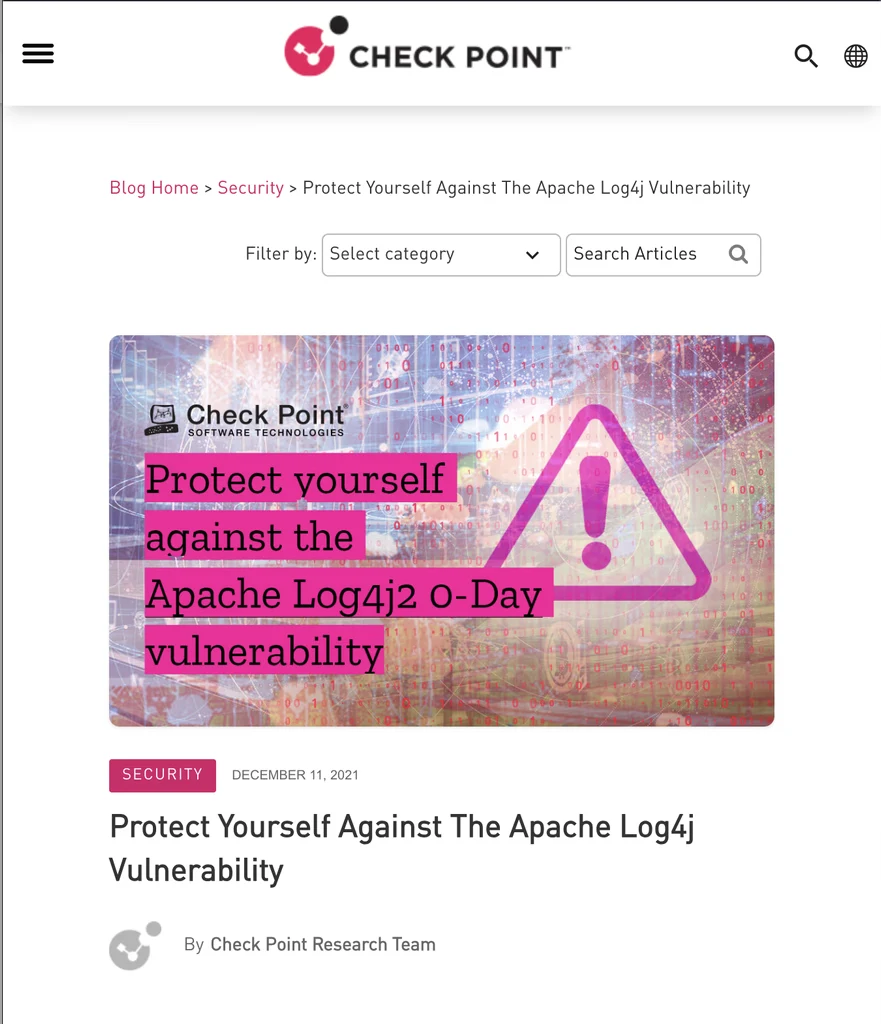
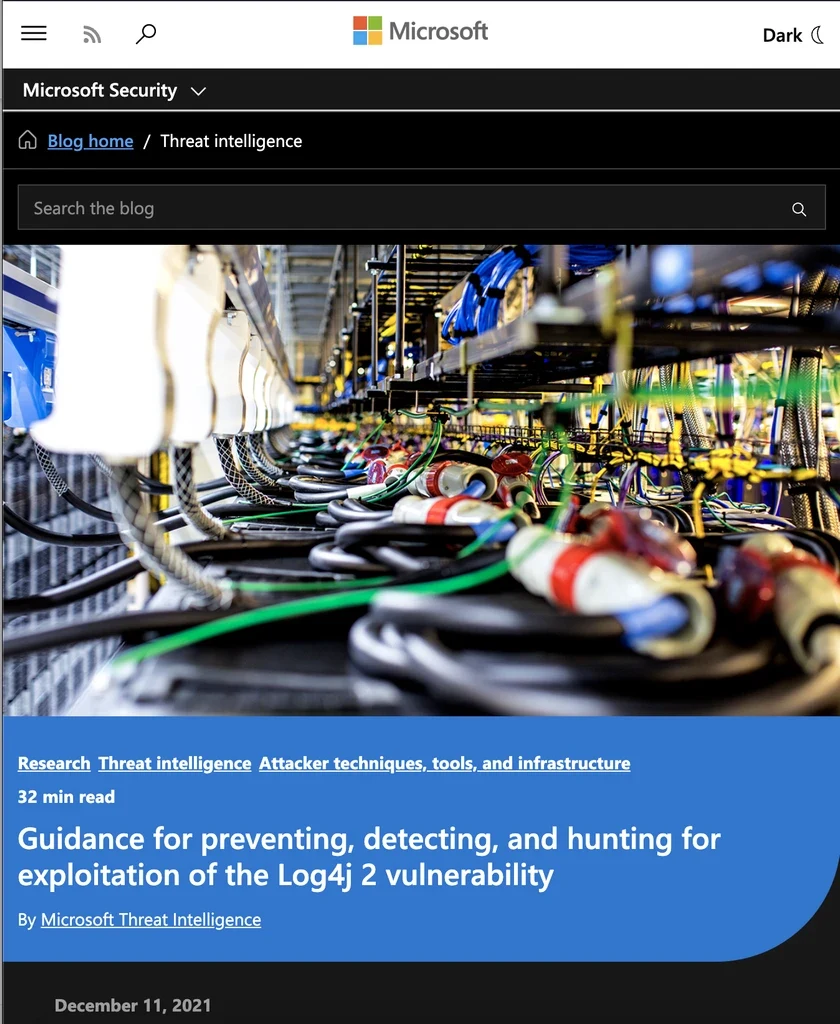
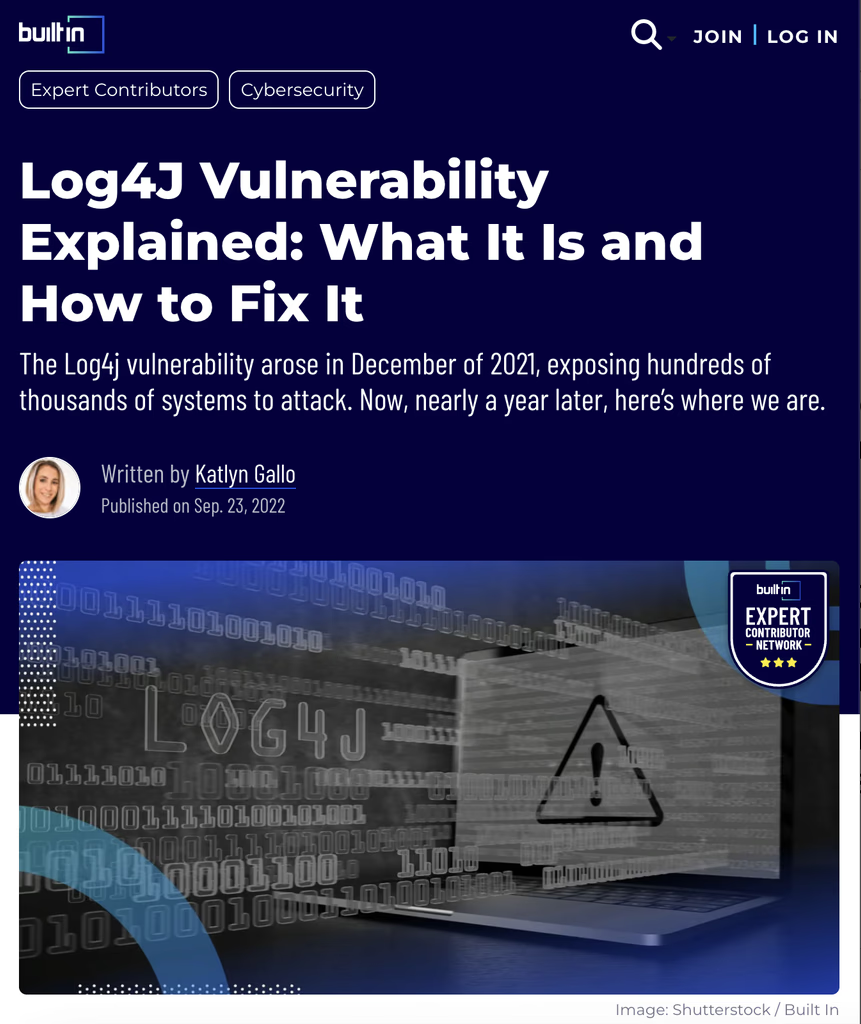
A security event turned Christmas into an emergency upgrade window.
Customers' employees gave up planned holiday time to urgently upgrade agents across their environments. The emergency exposed the human cost of a fragmented upgrade workflow; not just the technical risk.
Admin Adnan
Responsible for the stability and security of systems; while coordinating changes that can affect thousands of agents.
 Deploy + monitor agentsAcross applications, hosts and teams.
 Optimise configurationsWithout breaking working environments.
 Set up alertsAct before customers feel impact.
Discovery research
Across the research, admins lost context as one task moved across tools, owners and configurations.
What the research exposed

The work started before execution.
Admins had to identify the right agents, owners and prerequisites before they could act.

Configuration was a risk decision.
A wrong configuration could disrupt a working application, so confidence and recovery mattered.

One task was split across too many surfaces.
Ansible and host tools worked well, but constant switching split one lifecycle task across many surfaces.
Decision 01

Start with inventory.
Admins needed to know what existed and its state before taking action.
What it took to get an install through.
Identification
- Target applications
- Deployment strategy
- Identify stakeholders
Planning & testing
- Construct and test scripts
- Create and test install steps
- Validate dependencies
Execution
- Schedule a window
- Deploy scripts or install manually
- Verify and restart safely
Where the workflow became difficult to follow
The difficult part started before execution.
Research highlighted the difficulty of identifying the right agents, coordinating ownership and permissions, and deciding which configuration was safe enough to apply.
Identifying targets
Identifying the right applications and agents required collaborative effort across owners and operators.
Coordinating permissions
Installation required admin permission plus application-owner changes to link applications to agents.
Checking configuration
An incompatible configuration could break a working environment, so testing carried high consequence.
Decision 02
Make the target clear before the action.
Show ownership, status and configuration before asking admins to commit.
The predecessor
ZFI simplified one install.
At fleet scale, admins also needed bulk actions, persistent status and ongoing management.
Learn more about ZFI
AppDynamics introduced Zero Friction Installation (ZFI), also known as Agent Installer, to simplify agent installation. The project review identified four limitations:
- Installation only. The other phases of the agent lifecycle were not covered. At the time, only four customers had adopted ZFI.
- One agent at a time. The installer did not address bulk deployment.
- Limited agent support. Functional gaps left some agent needs unsupported.
- Stronger competing solutions. The review found competitors offered better solutions than ZFI.
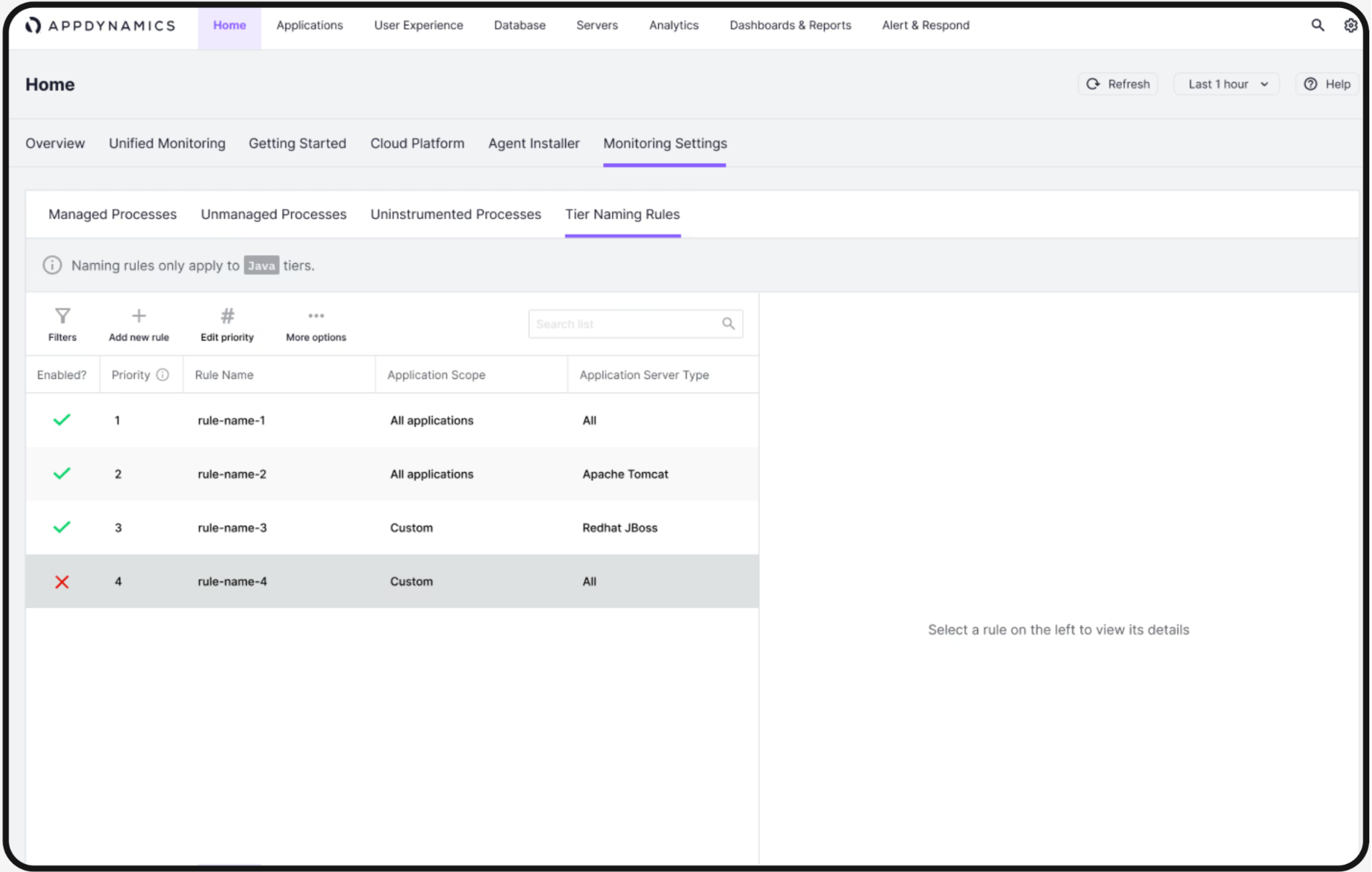
Learning from ZFI
Decision 03
Keep the guidance. Make it work for fleets.
Bulk actions and persistent status extend the guided model.
Focus on the lifecycle moments with the most leverage.
01Discovery

Discovery
Identify environments, dependencies and prerequisites before work begins.
02Installation

Installation
Guide setup and deployment with a clear, repeatable supported path.
03Upgradation

Upgradation
Coordinate version changes across hosts without losing operational context.
04Configuration

Configuration
Manage settings consistently while keeping the system observable and safe.
05Termination

Termination
Retire agents cleanly when applications or environments change.
We prioritised installation, upgradation and configuration: the recurring moments with the most coordination and risk.
See why
These three stages repeated most often and carried the highest cost when the workflow broke.
Technical landscape
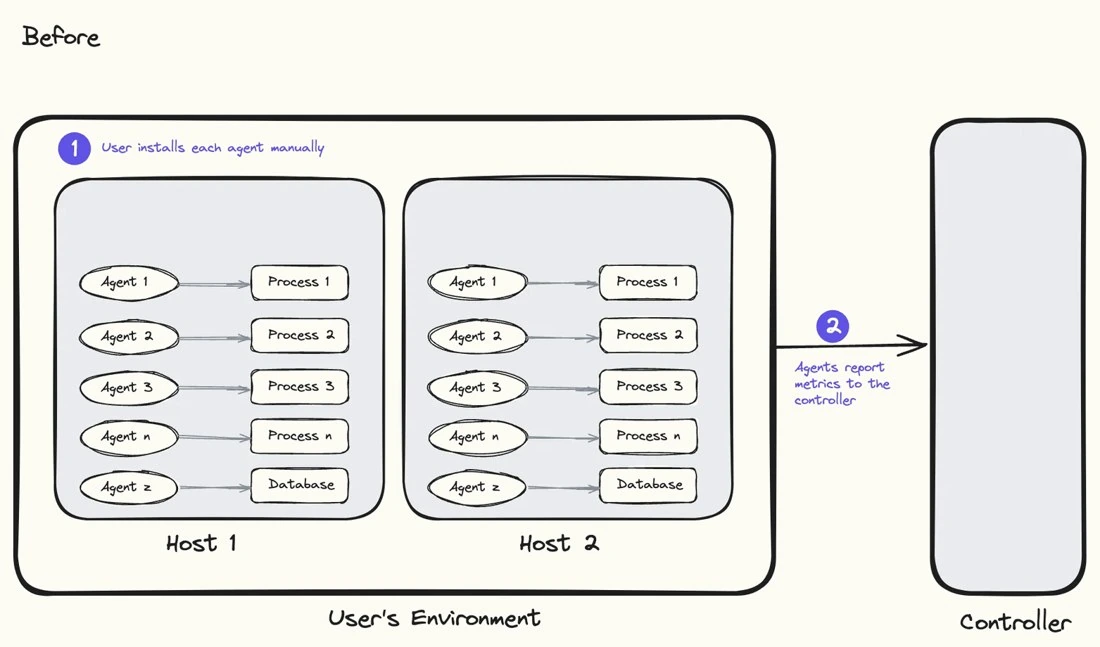
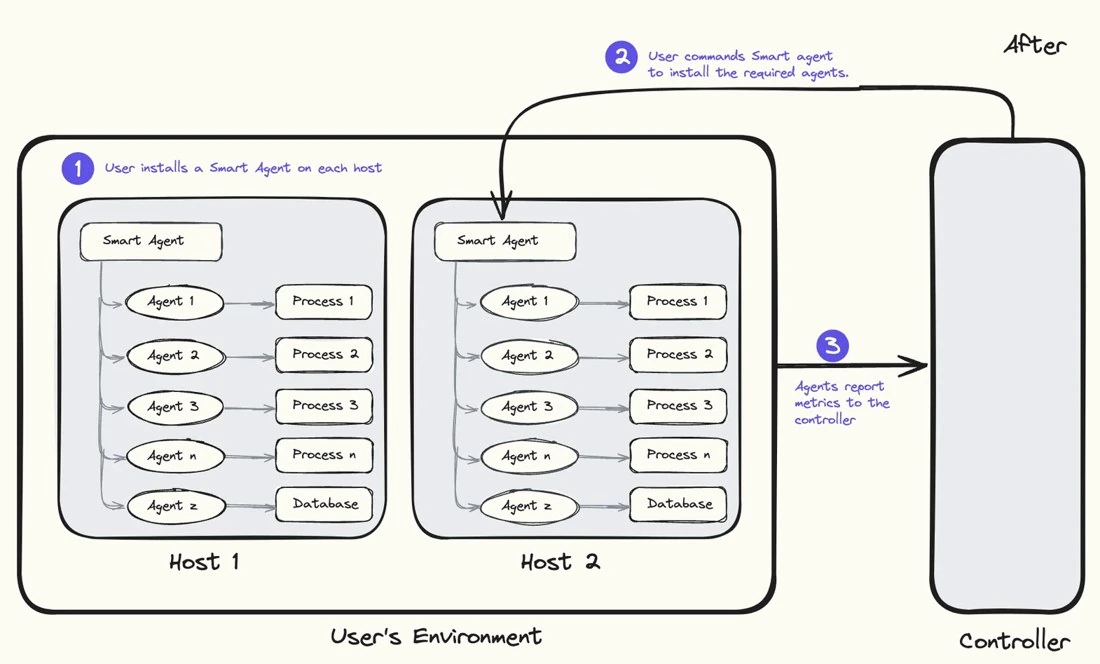
from many installs to one orchestrator.
Every agent was installed and managed independently.
Agent-specific setup repeated on every host.
One Smart Agent orchestrates the host.
A shared host-level layer can coordinate agent operations.
Decision 04
Standardise the steps behind each agent.
Smart Agent could orchestrate the differences while the workflow stayed familiar.
Brainstorming
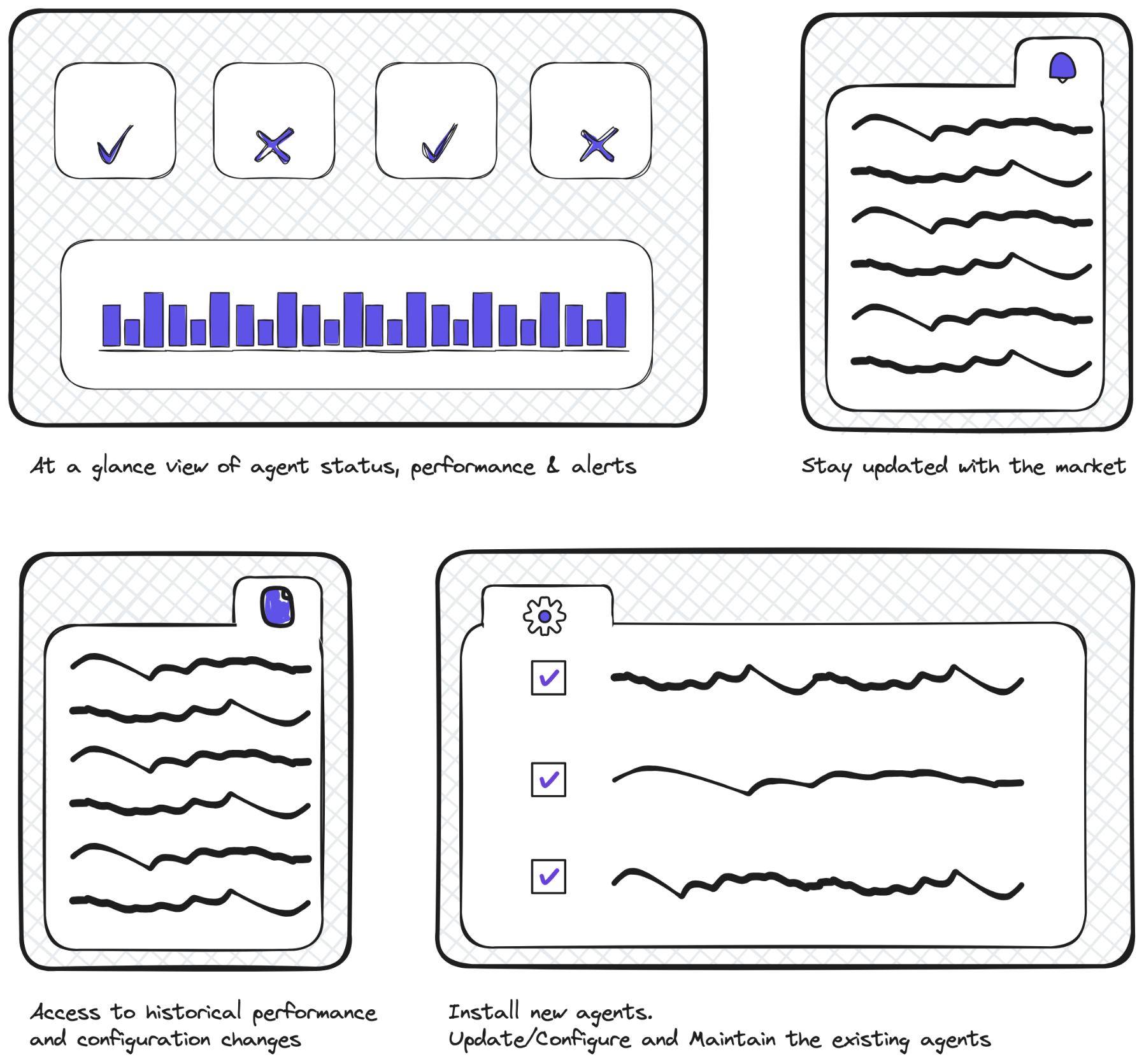
Make the system visible before making it operable.
I used the early model to connect the recurring decisions that had been scattered across installation, inventory, configuration and ongoing operations.
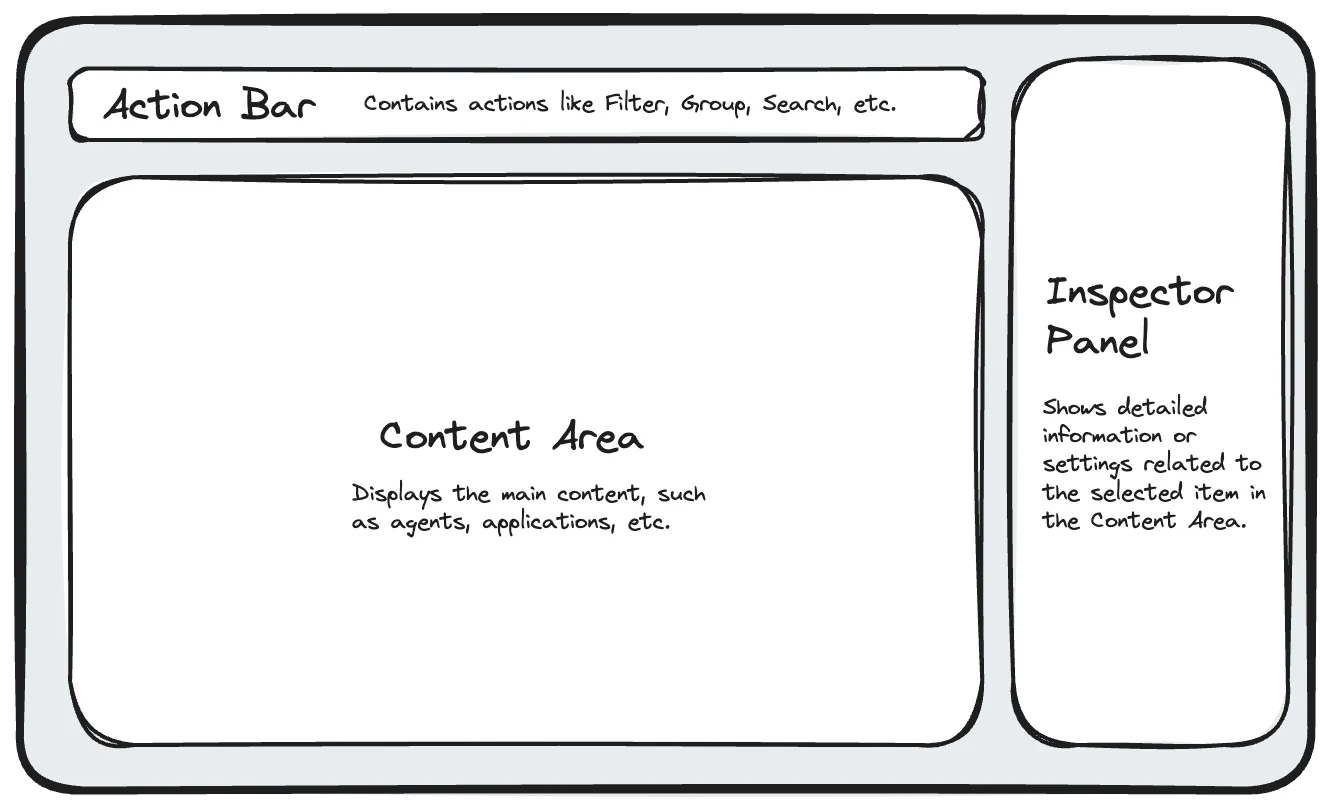
Layout design
Then give repeated actions a stable place to live.
The layout separates global context, selection-dependent actions and detailed configuration without turning each task into a new page.
Low-fidelity validation
Teams from 6 companies evaluated the direction.
Install flow, down from 17 min
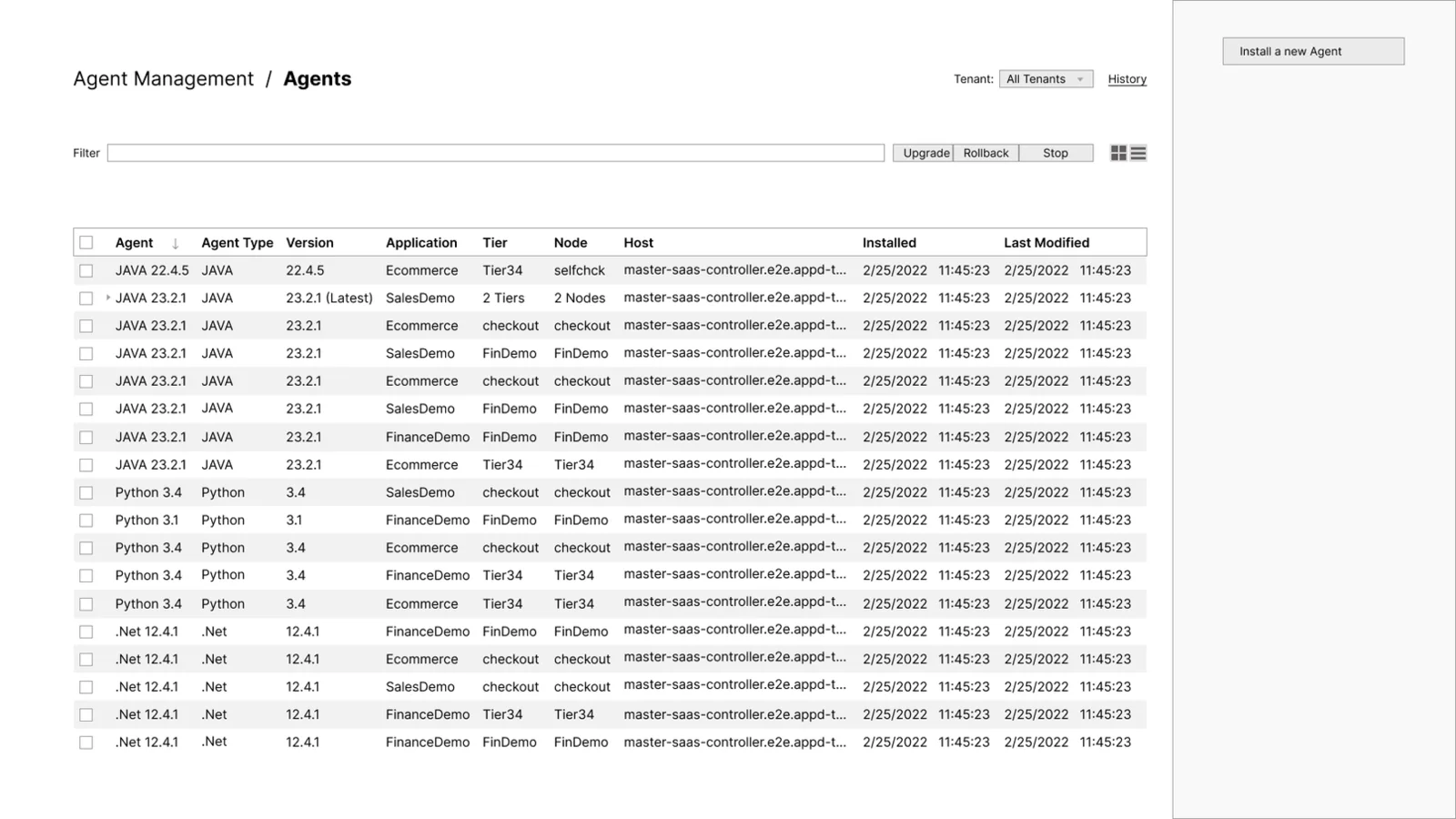
Preferred direction
Unified dashboard
Preferred by 4 of 6 teams: “more data at a glance.”
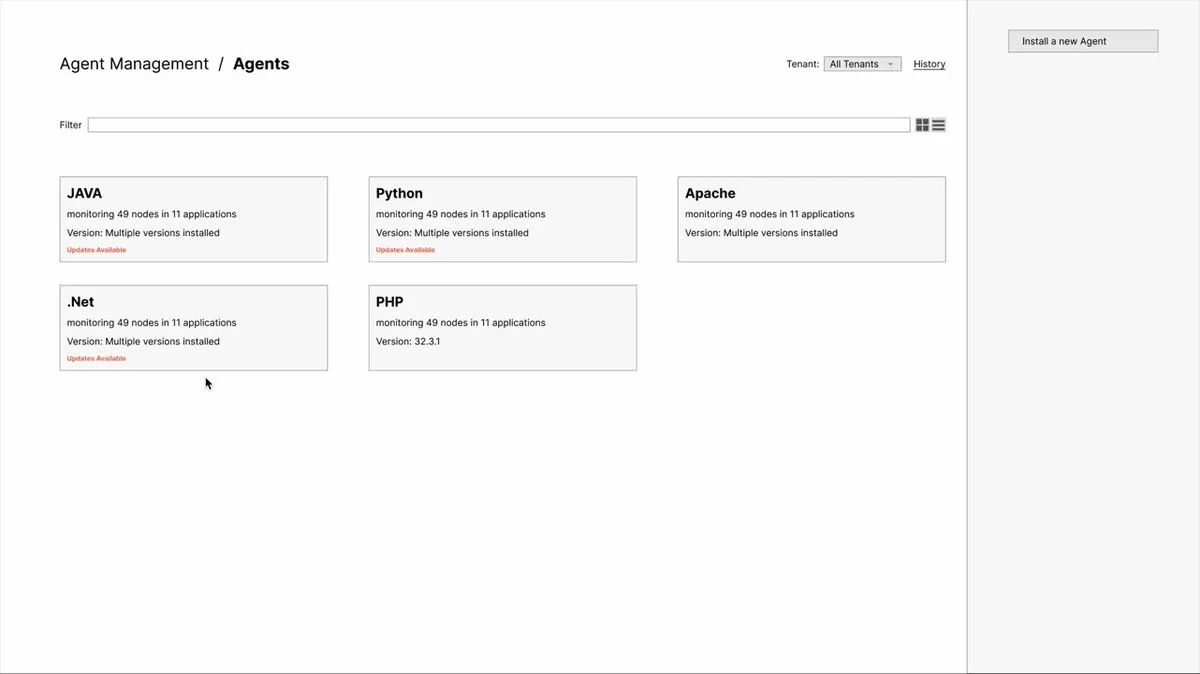
Explored
Dynamic view
Grouped by agent type.
What validation changed
We tested the operating model, not just the screens.
Customers wanted to understand agent state and context before choosing an action. That reinforced inventory as the starting point for the product.
Customers were hesitant about agents automatically restarting applications. We added a restart reminder in the panel so the consequence stayed visible and under admin control.
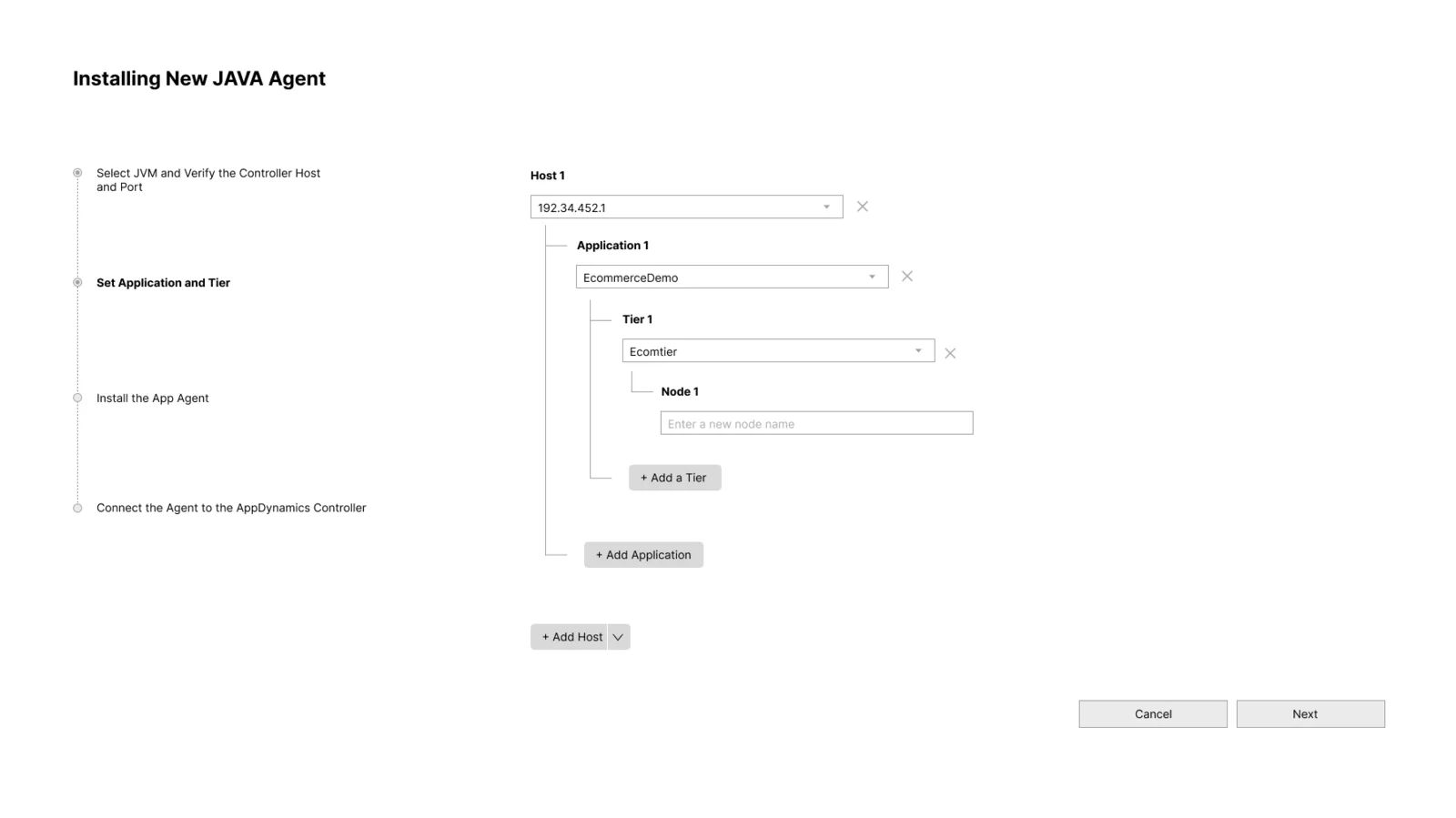
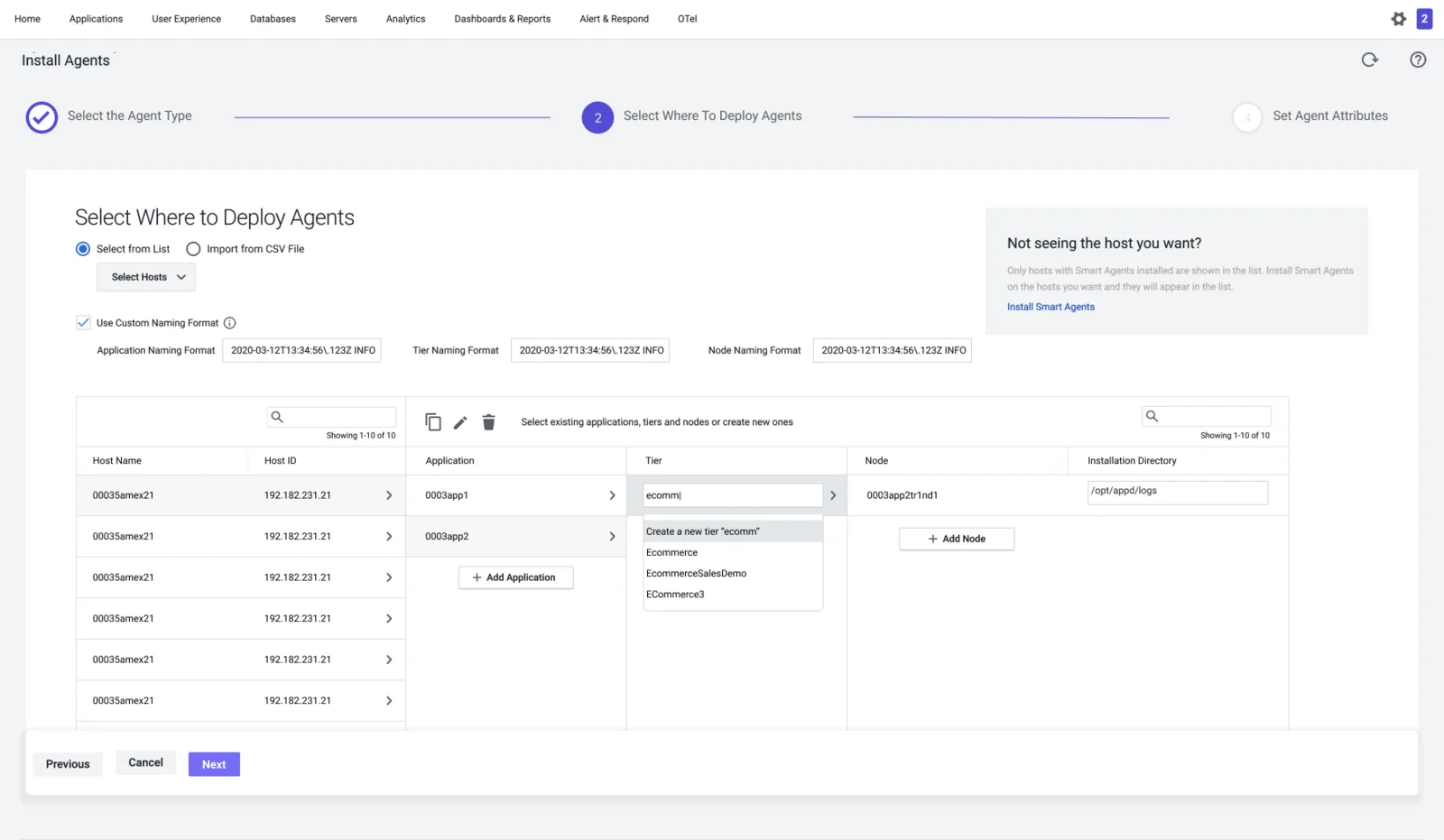
Evaluation informed a change from a tree hierarchy to a column-based layout.
Three of six teams found it hard to use at scale. Adjacent columns kept host, application, tier and node visible.

The final experience
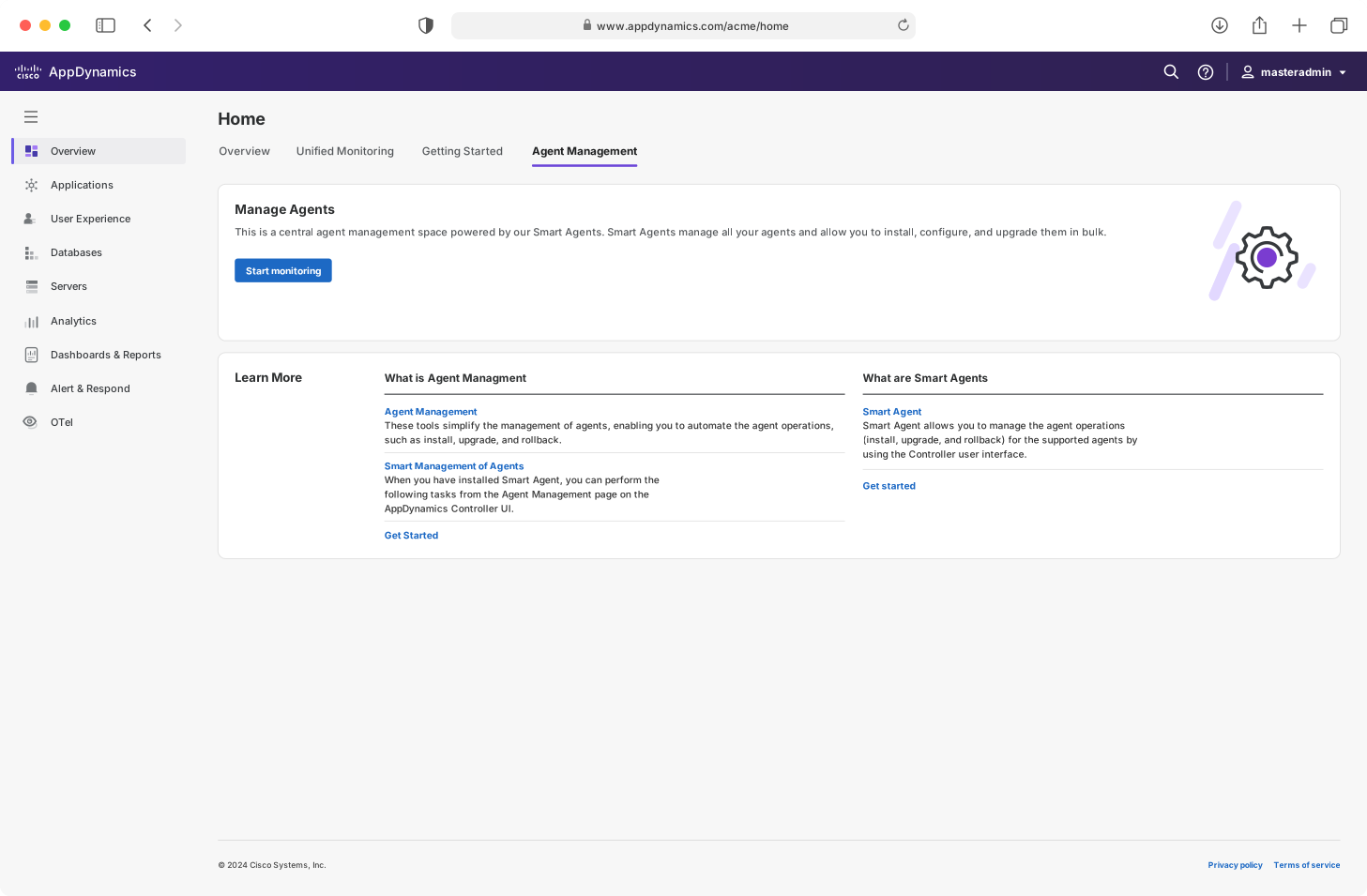
Admin Adnan installs Java agents for newly deployed applications.
Adnan begins on the application monitoring home and moves into Agent Management when the fleet needs attention.


Decision 05
Keep long-running work visible.
Status and recovery stay available after the install panel closes.
The balancing act
A fixed release date forced prioritisation. We kept the end-to-end jobs intact and ranked secondary capabilities with engineering.
Must have
Keep inventory, fleet actions, guided setup and status connected.
Good to have
Rank secondary capabilities by impact and effort.
01Scheduling
 Scheduling
02Live logs
 Live logs
03Sidebar interactions
 Sidebar interactions
04In-app view
 In-app view
Impact
Adoption across accounts and hosts.*
430+
SaaS customers
Direct adoption of Smart Agents and Agent Management.
680+
SaaS accounts
Using the portal across multiple accounts.
3,000+
SaaS hosts
Powered by Smart Agent within six months.
21.5%
Eligible SaaS accounts
Adopted Agent Management within six months.
* These are direct SaaS adoption metrics. On-premises adoption data is classified and intentionally omitted.
Less time between intent and a working agent.
Customer-reported time to value
2 weeks 2 hours
Reported by a customer for a representative rollout.
Observed guided install
17 min 3 min
Observed benchmark completion time. The shipped workflow reduced the measured installation journey by roughly 5×.
What design influenced
These were the parts of the product model and workflow that design directly shaped.
One workflow
Installation, upgrades, rollbacks and ongoing operations shared one product model.
Fleet operations
Bulk actions and persistent status made the workflow usable across thousands of agents.
Visible state
Inventory, ownership and configuration stayed visible before admins committed changes.
Guided configuration
The guided install model became a repeatable pattern for safer configuration.
Orchestration and execution performance were enabled by the broader product and engineering system.
Release scope and trade-offs
The release decisions centered on what needed to work as a complete workflow and which capabilities could follow later.
Ansible / Chef management preceded the simplified management UI.
- This case study
Simplified management UI
Cisco AppDynamics
- Later work
Inventory & actions
Cisco Observability Platform
- Later work
Profiles & templates
Cisco Observability Platform
- Later year
Auto discovery / auto attach
Cisco AppDynamics
- Subsequent work
Host machine
Cisco Observability Platform
This case study covers the simplified management UI. The following stages were separate, later work.
A parallel experience for Cisco Observability Platform.
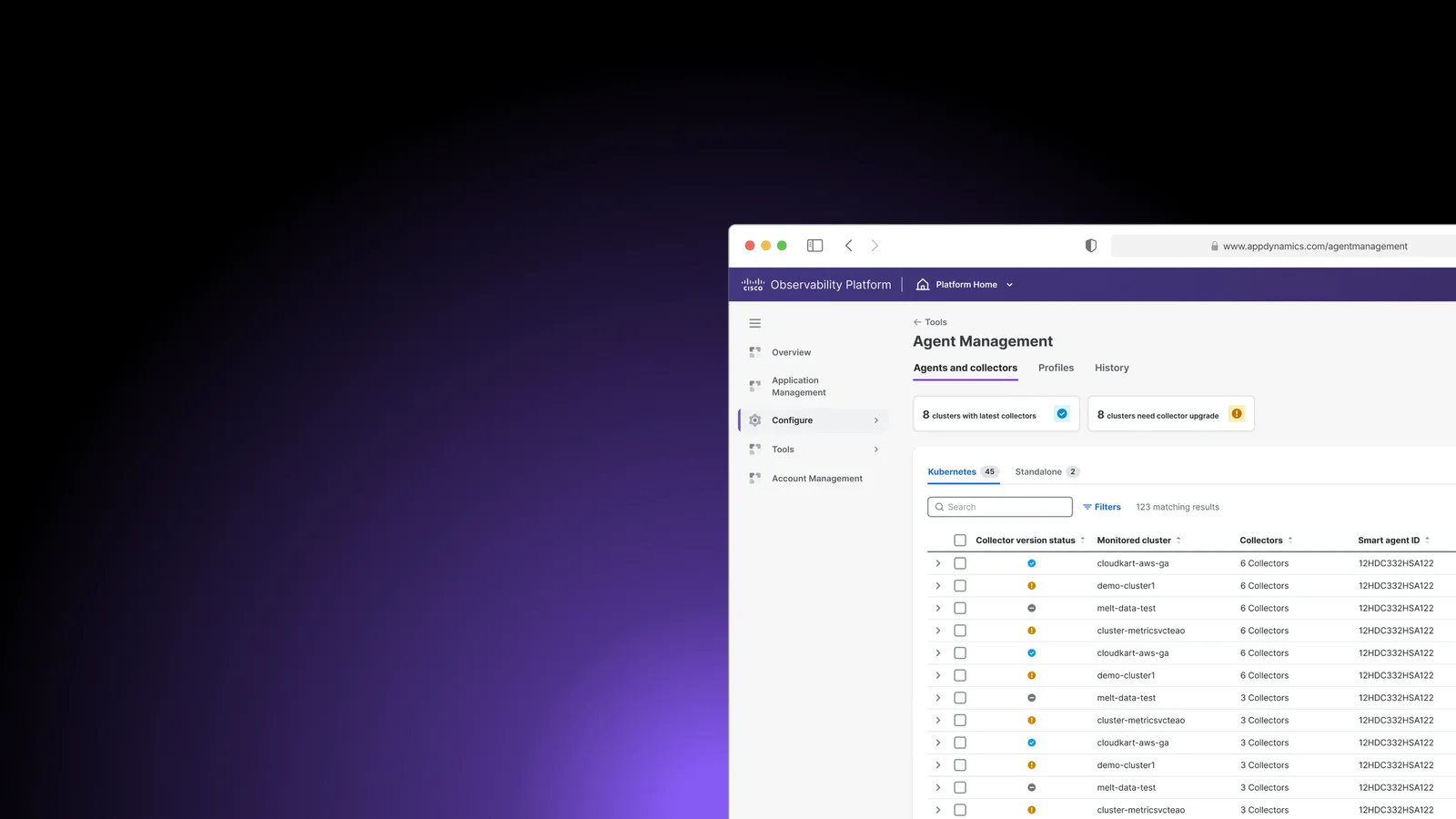
I stayed involved as a parallel Agent Management experience was created for Cisco Observability Platform. The work explored Smart Agent behavior while keeping inventory, installation, configuration and background operations familiar.